VCMI Future Vision Launcher
More launcher demo images cannot be provided here.
Please click to github view full description,
and give me a star, thank you.
Currently, only the
windows-x86_64system is supported
This is the initial version.
If you encounter any bugs, please kindly submit issues to me.
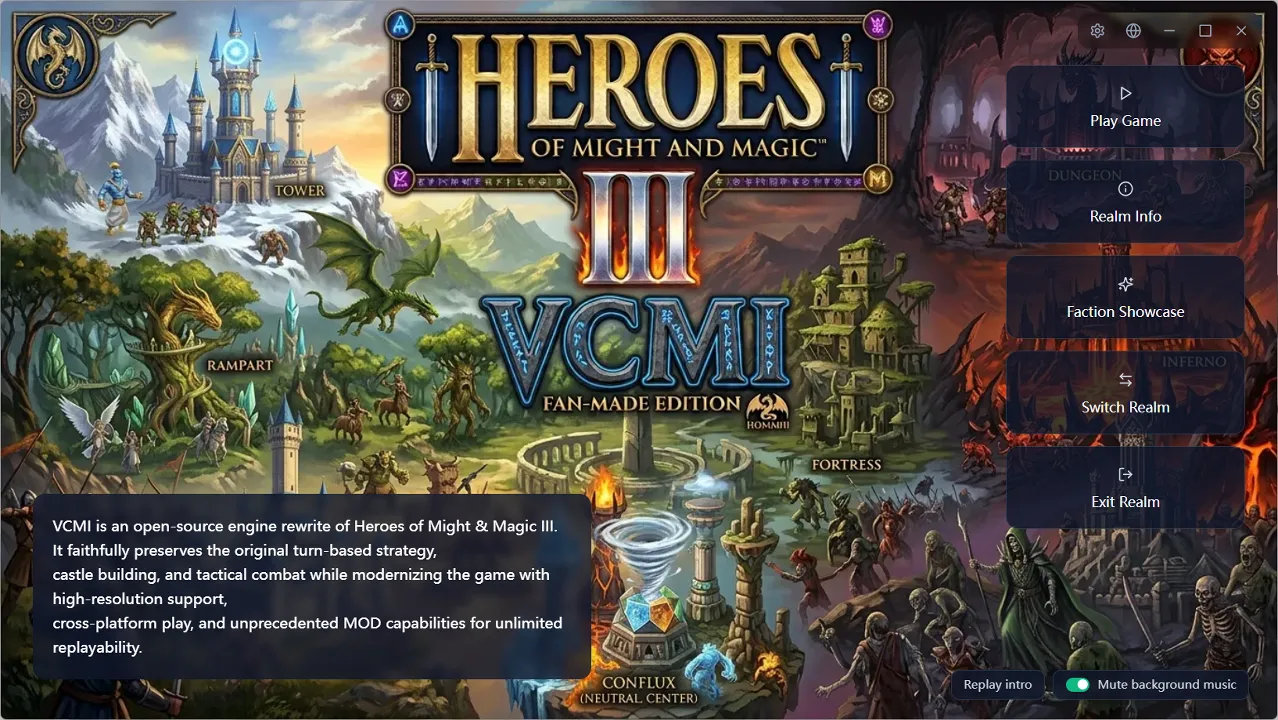
A standalone external desktop launcher compatible with VCMI configurations, with a “Future Vision” interface style.
A better mod management panel (supports visualizing and picking town mods).
A better game settings panel (supports viewing VCMI configurations at different tiers).
Provides a Realm system that isolates (mod combination + saves + settings + maps) as a whole into multiple non-interfering game environments, which can be packaged and distributed to others.
Provides a Wiki system to view game illustrations and data without running the game.
Features
Realm System
Implements multiple isolated (mod combination + saves + settings + maps) game environments.
Realm Intro Presentation
Launching the launcher enters the realm’s intro presentation (wallpaper / video / theme music / story description), providing a better narrative experience.
Faction Showcase
After entering a realm, a full-screen slideshow presentation can play, sequentially showing each faction’s backdrop, creature dens, heroes, and theme music.
Local Realm Switching
You can switch between locally installed realms, or directly import realms distributed as .vcmirealm by others.
Remote Realm Repository
Subscribe to realms made by others like subscribing to mods, download and install with one click, with update notifications.
Realm Editor
Customize your realm like editing a “game plan”, then package and publish it.
- Basic info: multilingual name, description, tags, author, version
- Intro presentation: wallpaper, cover, theme music, intro video / music, duration, skippable or not
- Mod combination: reuse the main-interface selection method, automatically solve dependencies, one-click completion
- Map management: import, upload, move, delete, filtered by language
- Faction showcase config: auto-arrange or manually arrange the deck
- Advanced options: each of the five directories can be set individually to “follow global” or “realm-independent”, config files can be shared or private
- Export as a
.vcmirealmpackage - Preview the current realm
Mods View
Mod Presets
Save a satisfying mod combination as a preset, switch with one click anytime, and share it with others.
Supports displaying each town’s background, improving the friendliness of mod preset configuration.
Mod Management
Browse, install, update, and uninstall mods directly from the official VCMI mod repository, no longer needing manual download and unzip.
Wiki
Offline browsing of 9 categories (towns / creatures / heroes / buildings / artifacts / spells / skills / terrains / mods), with right-click hover overlay support.
- Search by Chinese name, English name, or entry ID
- Each category has a customized presentation: factions include backdrop plus creature / building / hero overview, creatures have battle animations, heroes have biography and specialty
- Hover over any entry name to pop up an info overlay; entries link to each other
- Data updates automatically as mods change; fully usable offline
HD Assets: Wiki images and town backdrops are automatically presented in a clearer way. Supports official HD assets, image HD upscaling, and AI super-resolution upscaling.
Settings Panel
Fully includes official VCMI settings, presented as cards with explanations, taking effect immediately after changes.
- Multiple config groups: General, Video, Adventure Map, Combat, Game Tweaks, AI, Input, Launcher, Mods, Server, Network, Logs, plus the launcher’s own settings
- Three display tiers: common / advanced / all, with toggleable detailed descriptions
- Top search to quickly locate settings
- Settings show a “shared globally / realm-only” badge
Other Capabilities
Languages
The interface, wiki entries, and built-in help all follow the language you choose.
- The interface supports multiple languages
- Wiki entries use the current language, falling back to English automatically when missing
- Switching the interface language syncs the in-game language
- After switching languages, the corresponding language pack is automatically recognized and prompted for activation
Game File Import
Drag scattered maps, saves, mod archives, and HD assets directly into the window, and the launcher automatically determines the type and places it in the correct location.
First-Run Setup Wizard
On first open, it guides you through the necessary preparation: choose the interface language, locate the Heroes of Might and Magic III game directory (auto-detected, with manual selection on failure), confirm the user data directory, and enter the main interface after validation passes.
Launcher Auto-Update
After a new version is released, it is automatically checked and prompted; the update process completes automatically without affecting your data.
Portable Distribution
Any distributor can achieve more portable runtime effects by pre-configuring relevant launcher.json settings.
- Pre-set
paths.*path config (supports relative paths) to skip theFirst-Run Setup Wizard. - Pre-set
realms.activeto build in a default realm, so the realm intro presentation plays on first open. - Pre-set
realms.repository_urlsto build in a realm repository. - Pre-set
network.*to configure network proxy, providing access success rates in different network environments.
